

Vision C2 Alternating Vision & Reality
Android Applications
|
|
Displays a map of what you point your device at twice using triangulation. |
 Main Menu |
 Adjust Menu |
 Data Menu |
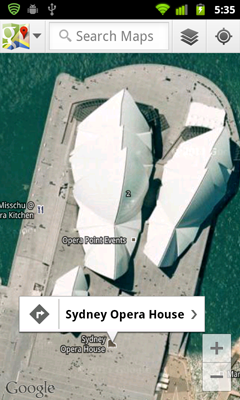 Google Map |
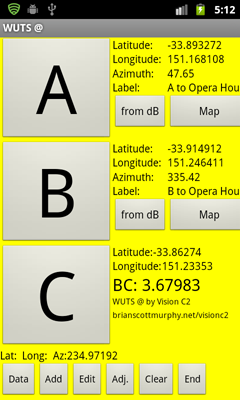
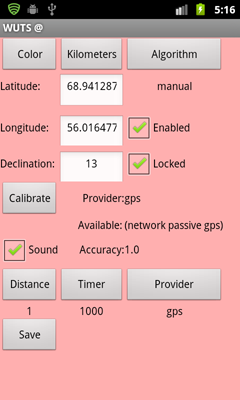
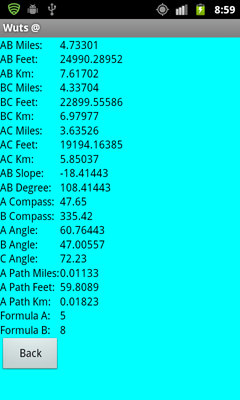
First find the magnetic deviation or declination for your area using an aviation map, Google, trial and error, or use the Calibrate button under the adjust menu. After you save that, you lay your phone flat to get a compass reading which is displayed at the bottom of the screen. Notice the reading, then move your device in a figure 8 pattern and then look at the reading. You just calibrated the compass. I've seen readings off more than 25 degress, when I've forgotten to reset the compass. Wuts @ Free is only as accurate as the GPS and compass informaiton. Now point your phone to an interesting object. It may be a building, a mountain top, a fire, etc. Hit A. It will save the coordinates until you move loactions to a different angle. You can even end the application or shut off the phone. Your A coordinate is set. Once you get to whatever your B location is, calibrate the compass again, point the phone and hit B. At this point a Google map will come up showing a map of what you pointed to. If you hit the back arrow, you can see the exact coorinates of C that the program calculated.
When you calibrate the declination, you point your device grid north to point A. You are pointing your device towards the North Pole with your point A in front of you. The numeric value shown is the number in feet away from point A's longitute. You should walk East or West until this value is at 0. Push set and make sure you point your device to A while doing so. The declination correction value will adjust your compass to grid north.
A
web site of Scott Teee Murphy